
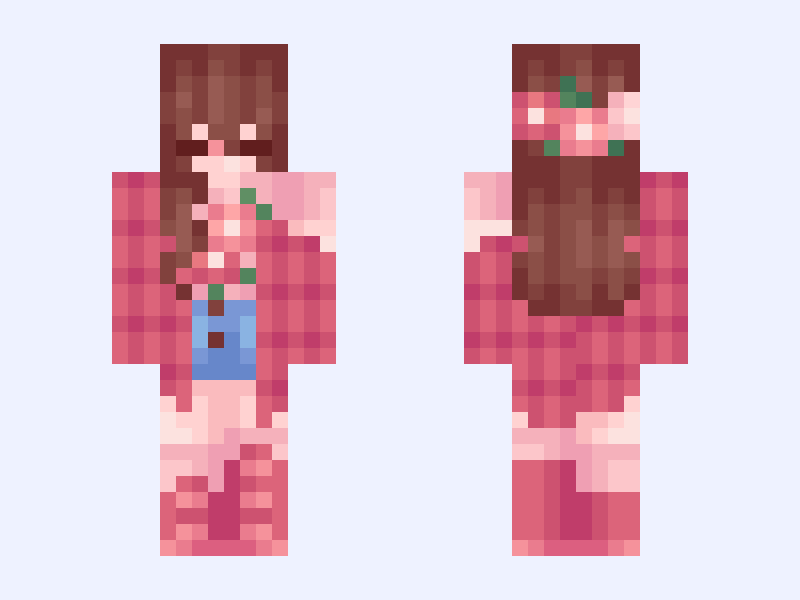

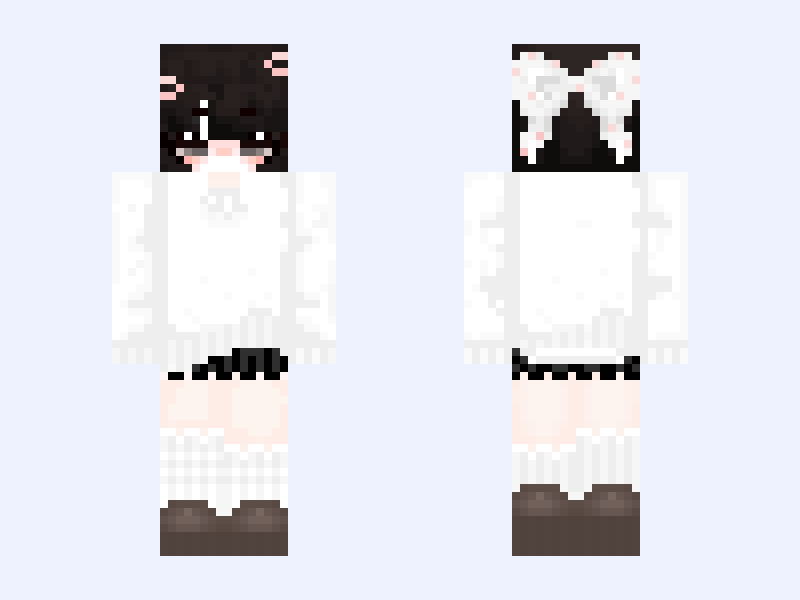
This is the skin file you download: a 64×64 PNG texture laid out in the standard Minecraft skin format.
…✧・゚:*April✧・゚:* pink, jacket, plaid, girl, cute, aesthetic, femboy, flowers Minecraft Skin
Slim
64×64
13 likes
4 comments
Download Skin
About this skin
✧!!PLEASE LIKE BEFORE YOU DOWNLOAD!!✧ Most recent follower: @HexDepression Tysm for following! Credits: 100% by me :) @ @ @ BACKSTORY TIME I originally made this from scratch as a base in March of 2021. My first ever original work. Then, about a year later, I remade the base, titled it “April,” and filled it out into a full skin. Here is version 3.0, revamped again almost five years later. I played with some more vibrant colors than usual, and I think she turned out pretty great :) For a contest: #pwxelsremakecon ✧・:* ✧・゚:* ✧・゚:* ✧・゚:* ✧・゚:* ✧・゚:* ✧・゚:
Skin details
- Model
- Slim (Alex, 3px arms)
- Texture size
- 64×64 pixels
- File type
- PNG with transparency
- Likes
- 13
- Comments
- 4
- Added
- September 9, 2026
How to use this skin in Minecraft Java Edition
- Select Download Skin to save the PNG file.
- Open the Minecraft Launcher and go to Skins.
- Choose New Skin and select the Slim player model.
- Browse to the downloaded PNG, then select Save & Use.
How to use this skin in Minecraft Bedrock Edition
- Select Download Skin to save the PNG file.
- Open Minecraft and go to the Dressing Room.
- Under Classic Skins, choose Import, then Choose New Skin.
- Select the PNG and pick the Slim model.
![Freddy | [1981-1983] | Fredbear's Family Diner | FNAF 4 | Minecraft skin, classic model, front and back view](/assets/image/skins/freddy-1981-1983-fredbear-s-family-diner-fnaf-4.png)