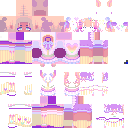
This is the skin file you download: a 128×128 HD PNG texture laid out in the standard Minecraft skin format.
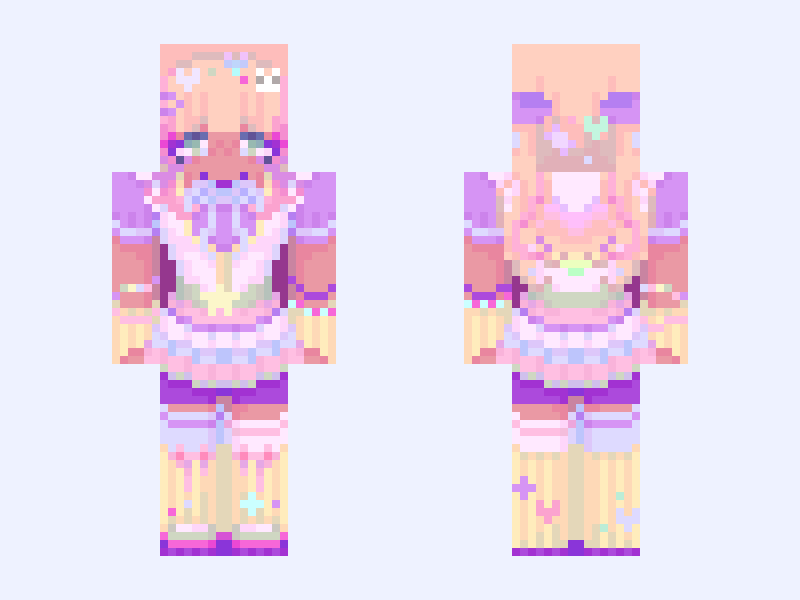
(Entry 2) 🌈Colorful🌈 Minecraft Skin
Slim
128×128 HD
58 likes
9 comments
Download Skin
About this skin
╭────────╮ ✦ 🄲🄾🄽🅃🄴🅂🅃 ✦ ╰────────╯ For this entry, since the theme is colorful, i have to spend some time picking a colorful color pallete. And since the word “Colorful” reminds me of the Decora fashion style, i decided to do that. ✰ Contest Theme -> Opposites: 🌈Colorful🌈 Vs. 🖤Dark🖤 ✰ Contest Host -> @Enchanted_Echo ✰ Contest Tag -> #EECon5 ✰ Contest Partner -> @jefdino (Their theme is Dark) ✏️ #gabzu_contest_entries ✏️ Credits: @RalnBoWs for the small accessories
Skin details
- Model
- Slim (Alex, 3px arms)
- Texture size
- 128×128 HD pixels
- File type
- PNG with transparency
- Likes
- 58
- Comments
- 9
- Added
- September 7, 2026
How to use this skin in Minecraft Java Edition
- Select Download Skin to save the PNG file.
- Open the Minecraft Launcher and go to Skins.
- Choose New Skin and select the Slim player model.
- Browse to the downloaded PNG, then select Save & Use.
How to use this skin in Minecraft Bedrock Edition
- Select Download Skin to save the PNG file.
- Open Minecraft and go to the Dressing Room.
- Under Classic Skins, choose Import, then Choose New Skin.
- Select the PNG and pick the Slim model.
![[Onyx] | Yin Yang | Dragon Dancer | Epilogue #EECon5 Minecraft skin, slim model, front and back view](/assets/image/skins/onyx-yin-yang-dragon-dancer-epilogue-eecon5.png)