
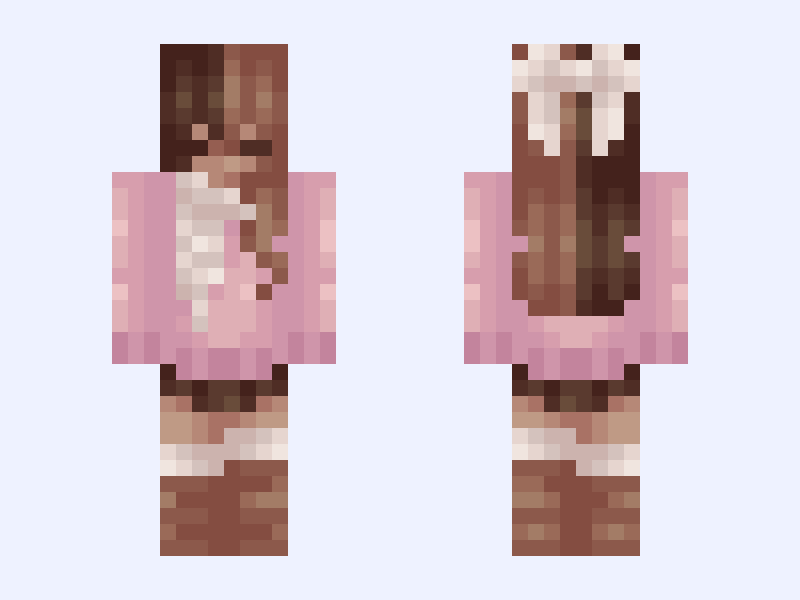

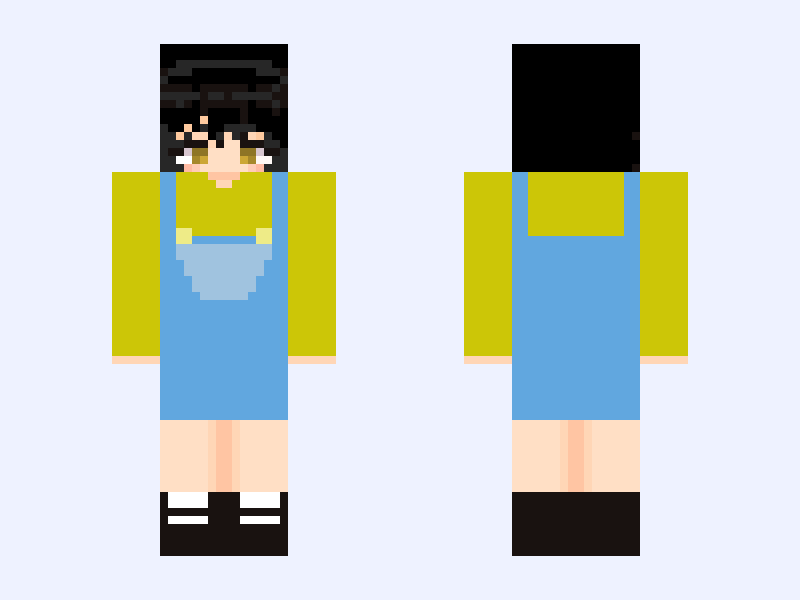
This is the skin file you download: a 64×64 PNG texture laid out in the standard Minecraft skin format.
…✧・゚:*Neapolitan✧・゚:* cute, scarf, cozy, winter, aesthetic, femboy, split dye Minecraft Skin
Slim
64×64
11 likes
1 comments
Download Skin
About this skin
✧!!PLEASE LIKE BEFORE YOU DOWNLOAD!!✧ Most recent follower: @louloui Tysm for following! Credits: 100% by me :) @ @ @ Out here in eastern NC temps are still almost 90 so idk why I decided to post this while I’m actually melting Come soon sweater weather T-T ✧・:* ✧・゚:* ✧・゚:* ✧・゚:* ✧・゚:* ✧・゚:* ✧・゚:
Skin details
- Model
- Slim (Alex, 3px arms)
- Texture size
- 64×64 pixels
- File type
- PNG with transparency
- Likes
- 11
- Comments
- 1
- Added
- September 17, 2026
How to use this skin in Minecraft Java Edition
- Select Download Skin to save the PNG file.
- Open the Minecraft Launcher and go to Skins.
- Choose New Skin and select the Slim player model.
- Browse to the downloaded PNG, then select Save & Use.
How to use this skin in Minecraft Bedrock Edition
- Select Download Skin to save the PNG file.
- Open Minecraft and go to the Dressing Room.
- Under Classic Skins, choose Import, then Choose New Skin.
- Select the PNG and pick the Slim model.
![Null [~{Ascendants: Chapter 2}~] Minecraft skin, classic model, front and back view](/assets/image/skins/null-ascendants-chapter-2.png)