GameModHub Gaming
Minecraft Skin Sizes Explained
Almost every skin problem comes down to a format mismatch, and the vocabulary around skin formats is genuinely confusing. People use "size" to mean the pixel dimensions of the file, the arm width of the model, and the visual resolution of the artwork, which are three different things.
Here is each of them separated out, with the practical consequence of getting it wrong.
64x64 is the format you want
A modern Minecraft skin is a PNG that is exactly 64 pixels wide and 64 pixels tall. That is not a recommendation, it is a requirement: the upload will be rejected outright if the dimensions are anything else.
Inside that small square, the image is a flattened map of your character. The top-left region holds the six faces of the head. Below it sit the body, the arms and the legs, each unwrapped into its front, back, sides, top and bottom. Nothing about the layout is intuitive on first look, which is why almost nobody paints a skin from a blank canvas.
The format also carries a second layer — an overlay sitting a fraction of a pixel outside the base model, used for hair, hats, glasses, jackets and sleeves. The overlay supports transparency; wherever you leave it clear, the base layer below shows through. It is what gives good skins their sense of depth.
64x32 is the legacy format, and it is half a skin
Before Minecraft 1.8, skins were 64 pixels wide but only 32 tall. You will still find these files on older sites and in old downloads.
The missing half matters. In the 64x32 format the left arm and left leg are not stored at all — the game mirrors the right ones onto them. There is no overlay layer except for the hat. So a 64x32 skin cannot have an asymmetric design, cannot have a jacket or sleeve layer, and cannot carry the detail players now expect.
Modern Minecraft still accepts these files and converts them on upload, so an old skin will not break. But converting does not invent the missing pixels: you get a symmetrical character with no second layer. If you are choosing between two versions of the same design, take the 64x64 one.
Classic and Slim: a one-pixel difference that is very visible
This is the "size" that trips up most uploads, and it has nothing to do with the file's dimensions.
Minecraft has two player models. Classic — the Steve model — has arms four pixels wide. Slim — the Alex model — has arms three pixels wide. A skin is painted for one or the other, because the arm texture regions are different widths.
Pick the wrong one at upload and the result is immediately obvious. A Classic skin on the Slim model has its arm texture squeezed, so sleeve edges and hand colours land in the wrong place. A Slim skin on the Classic model leaves a column of the arm unpainted, which usually renders as a stripe of the wrong colour down the side of each arm.
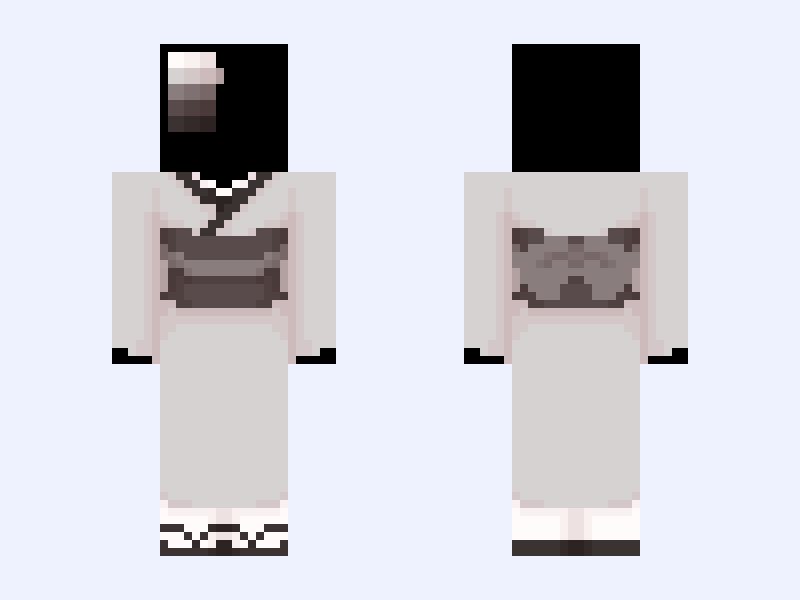
Every skin page in our skins library states its model. Grox is a Classic skin; Kimono Base is a Slim one. Match it at the moment you upload and this problem never occurs.
What HD skins are, and why vanilla will not load them
You will see skins advertised as HD, usually 128x128 or 256x256. These are genuinely higher-resolution artwork — the same layout as a 64x64 skin, with four or sixteen times as many pixels to paint into, allowing detail that the standard grid cannot hold.
The catch is that unmodified Minecraft does not accept them. Upload a 128x128 file to your account and it will be refused for the same reason a 100x100 file is: the dimensions are not 64x64. HD skins require a client-side mod such as OptiFine or CustomSkinLoader, and other players only see the HD version if they are running the same mod.
This is worth knowing before you fall in love with one. Where a skin on this site is marked HD, that label describes the source artwork. If you play vanilla, choose a standard skin, or accept that your HD file will need a mod on every client that is meant to see it properly.